Viber

Follow Us

Showing posts with label Adobe Reader. Show all posts
STEP
(You can skip Steps 1-5, if you are already looking at the Adobe Reader page in the Google Play Store.)

  1. Tap the Google Play Store icon.
  2. Go to the Apps section.
  3. Tap the Search icon.
  4. Enter "Adobe Reader".
  5. Tap Adobe Reader (the first app in the search result).
  6. Tap INSTALL.  This will install the latest version of Adobe Reader.
  7. Tap Accept.


  1. Tap the Google Play Store icon.
  2. Go to the Apps section.
  3. Tap the Search icon.
  4. Enter "Adobe Reader".
  5. Tap Adobe Reader (the first app in the search result).
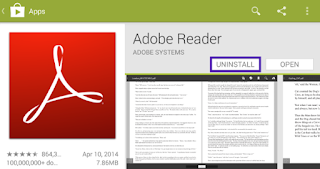
  6. Tap UNINSTALL.  This will uninstall the existing Adobe Reader app.
  7. Tap OK.


GUIDE APP ANDROID

TIPS GUIDE GAME APP

TRICK GUIDE APP ANDORID