Viber

Follow Us

Showing posts with label Instagram. Show all posts

1
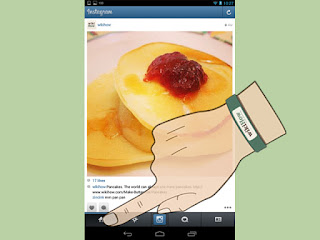
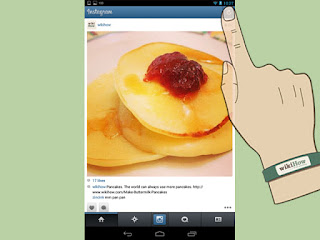
Scroll through your feed. From within the “Feed” tab you can scroll through posts by all of the users you are following by. To get to the Feed tab, tap on the icon that looks like a house to the very left.
Click the refresh button in the top right corner to reload the tab.
2
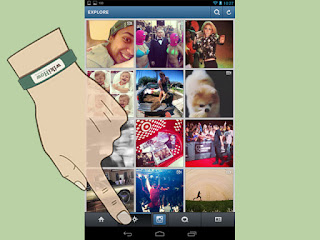
Look at the popular tab. From within the “Popular” tab you can see photos uploaded by other users that are getting attention from the Instagram community. These are typically the Instagram photos with the most ‘likes’. The popular tab is visualized by a star icon.
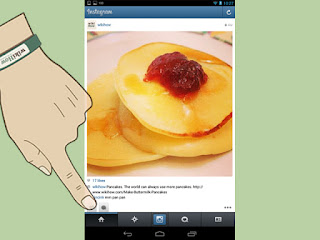
  • To search for users and hashtags, go to the popular tab and type into the search bar at the top.
3
View your news and updates. Anytime someone likes one of your photos, comments on one of your photos, follows you, or tags you in a photo, you will be notified under your ‘News’ tab. This is the small comment-box icon with a heart in the center, the third tab over. If someone actively likes, comments, or follows you while you are on Instagram, a small orange heart, comment bubble, or profile shape will appear just above your ‘news’ tab.

4
Like and comment other people’s photos. Whether you are scrolling through your news feed or viewing images under the popular tab, you can show your interest by liking or commenting on them. To like a photo, you can either press the heart shaped button just under the photo, or you can double tap the image. To comment on a photo, click the small comment-bubble icon and type your comment when the keyboard appears.


5
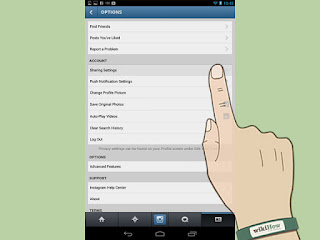
View your own profile. To see an archive of your uploaded photos as well as a complete list of who you’re following and who your followers are, you can visit your profile tab on the far right side (a square icon with a bubble and stripes inside of it). Here you can see all your photos, edit your Instagram user profile, and add or disable social networks under “Edit sharing settings”.

You can instal in google play


1
Download the Instagram app. Go to the app store on your device, click on the search button, and type in "Instagram". Scroll until you find the app, select it, and click ‘Install’.
  • If you download the app from iTunes you will have to sync it to your iOS device before you are able to use it.
2
Launch the Instagram app. Tap the Instagram icon (a small camera with rainbow stripes) from your device’s home screen.

3
Create an account. Click the “Sign up” button at the bottom of your screen and enter your email, username, password, phone number (optional), and upload a photo (optional) to create your account. You can choose to add a bit of personal information in the “about” section as well, including a personal website.

4
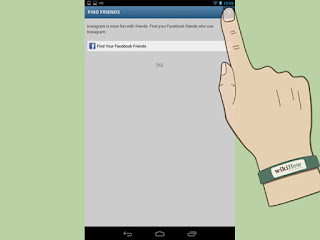
Follow friends. You can now optionally choose to import contacts and find friends from your contact list, Facebook account, Twitter account, or simply search for names and usernames. Following people allows you to see their posts in your newsfeed, and similar to Twitter, you can follow anyone including people you don’t know personally if you choose. Click “Next” when you are finished.
  • You will be able to add friends at any time from within your account, even after you create your account.
  • You can choose to follow suggested Instagram users by clicking the “Follow” button next to their name. Click “Done” to complete the process and continue directly to your account
5
Instagram Direct. With Instagram's new update, you can also choose if you want to share your photo with all your followers or just a few. Click on the "Direct" tab, and select the followers you would like to share them with. The picture will not show up in your public feed, and just the users you selected will be able to see your photo.

         You can install in google play


Instagram is a popular social network application that allows you to upload, edit, and caption your own photos. This simple guide shows you how to manage your account, take pictures and use Instagram.

GUIDE APP ANDROID

TIPS GUIDE GAME APP

TRICK GUIDE APP ANDORID